

Check a template
Problems
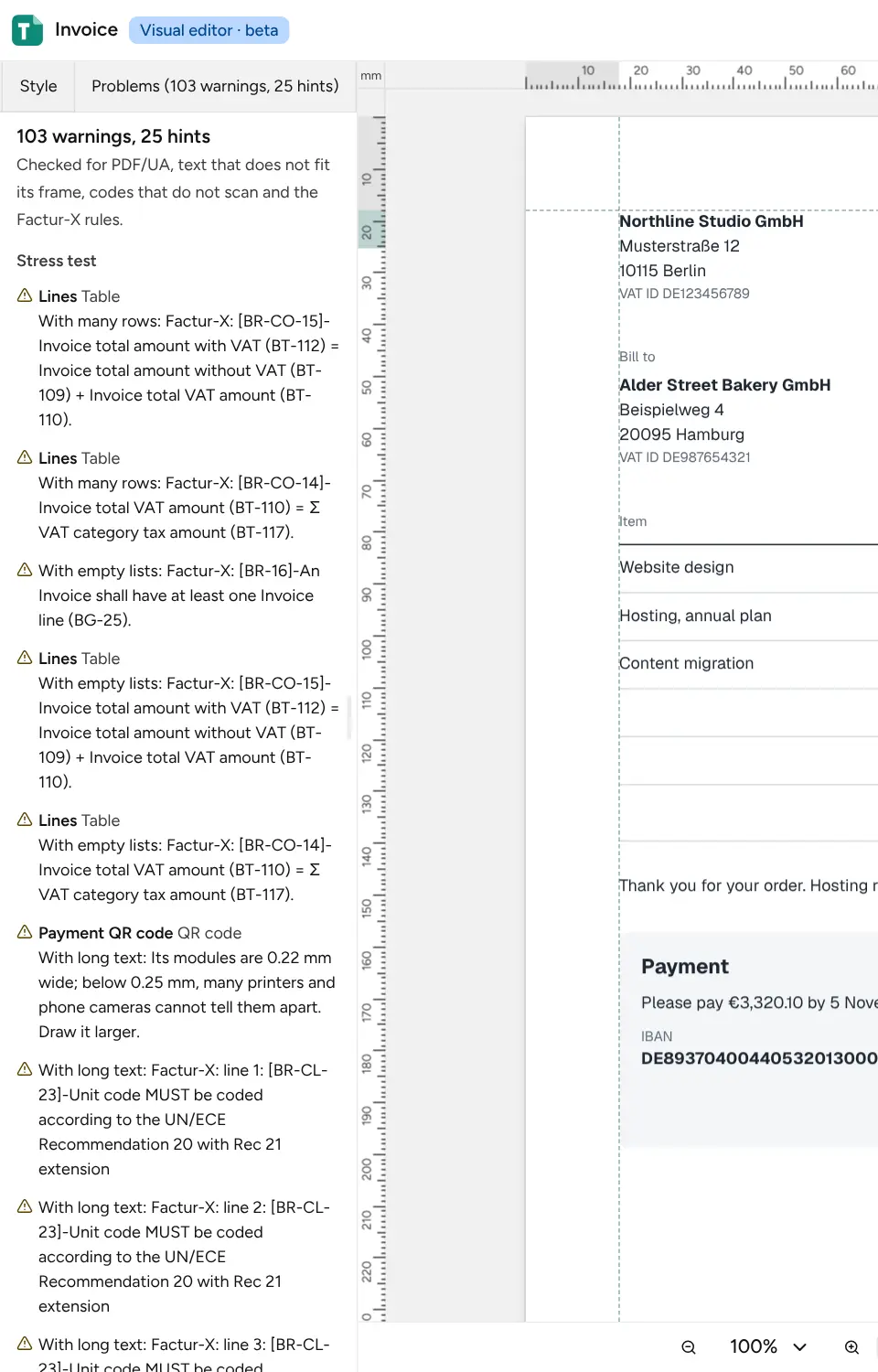
Section titled “Problems”The Problems tab checks the template while you edit and lists what would go wrong, errors first, with hints folded at the end. Click a problem to select its block on the page. It checks:
- values the data does not have, which fail a render, and values with no fallback;
- texts missing in a language;
- text that runs out of a fixed section’s frame, and frames that reach past their section;
- QR codes and barcodes a scanner cannot read at print resolution, that read as another value, or that are drawn too small to print;
- PDF/UA accessibility, such as images without alt text;
- tags where PDF/UA does not allow them, such as a heading inside a paragraph, which fails PDF/UA renders, or a list item outside a list. A button on the problem changes the tag;
- the Factur-X rules, when the template embeds an e-invoice;
- pages, file size and drawing time close to the limits.
PDF/UA, frames and codes are checked once your edits pause. Adding or moving a block so that a heading lands inside a paragraph or another heading is refused.
Stress test
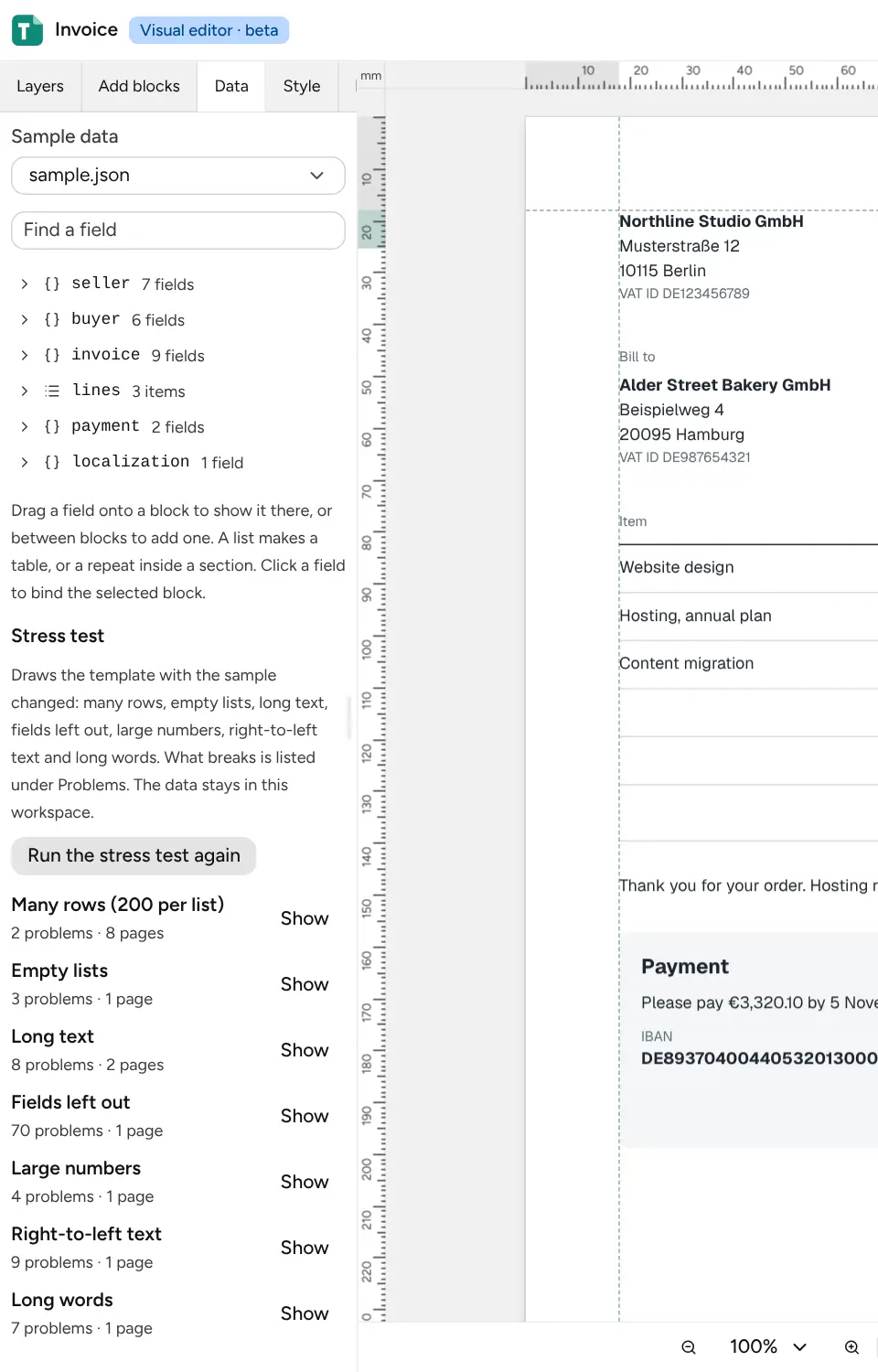
Section titled “Stress test”Sample data is usually tidy. The stress test, at the end of the Data tab, draws the template with the sample changed in the ways real data goes wrong: Many rows (200 per list), Empty lists, Long text, Fields left out, Large numbers, Right-to-left text and Long words. What breaks is listed under Problems, by case. Show draws the page with a case, so you can see it. The data stays in your workspace.
Click Run the stress test again after a change; the results of an earlier run are dropped once the template or its sample changes.
Factur-X e-invoices
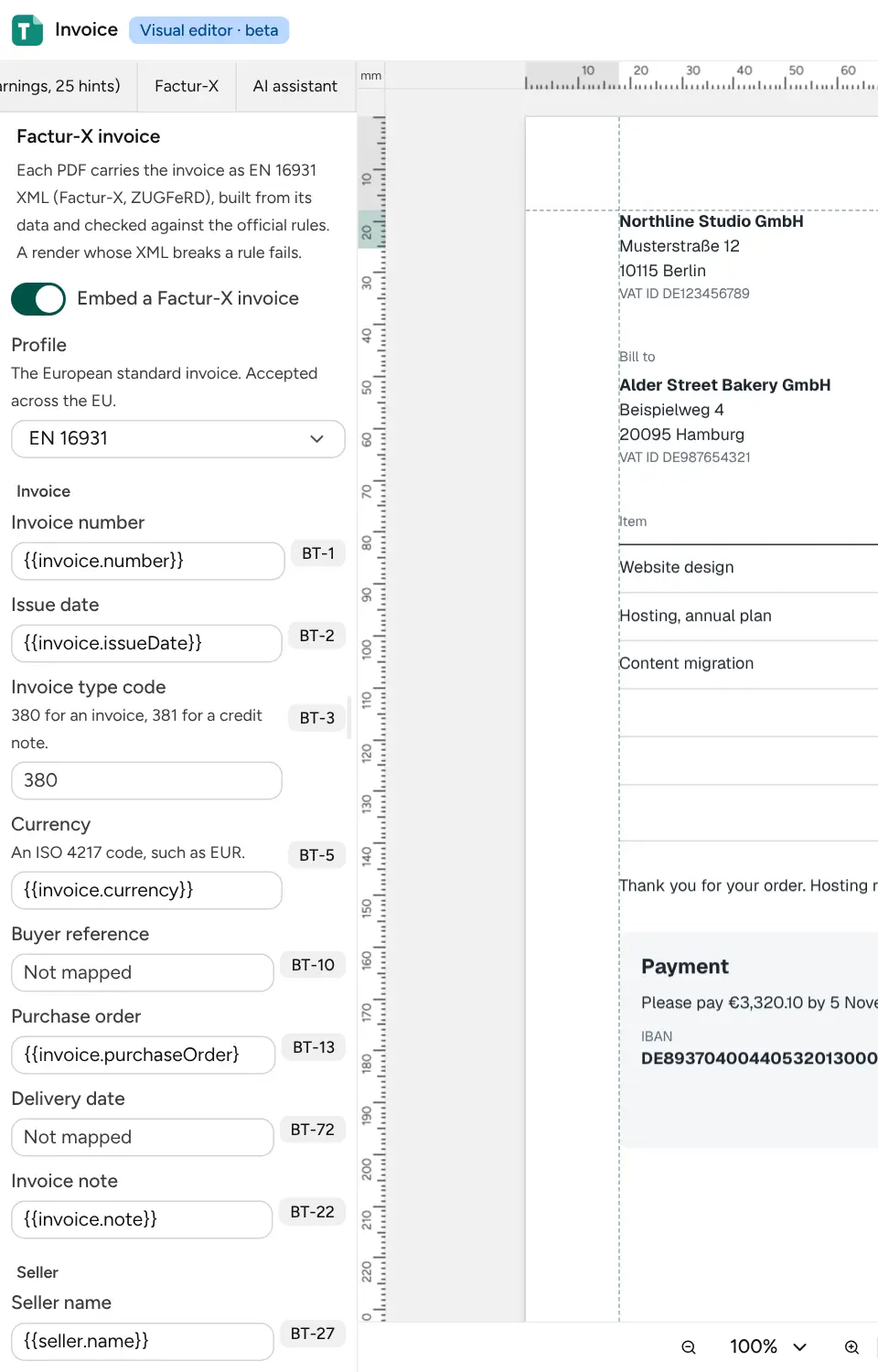
Section titled “Factur-X e-invoices”The Factur-X tab builds an EN 16931 invoice from each render’s data and embeds it in the PDF,
for accounting software to read. Turn on Embed a Factur-X invoice, pick a profile, and map
each field to your data, such as {{invoice.number}}; the panel suggests the paths the template
already shows. Click Save. Broken rules are listed under Problems, and a render whose
invoice breaks one fails.
The profiles, the PDF/A-3 setting this needs, and the same mapping in page.json are described in
embed e-invoice XML.